

Generate natural, human-readable meta descriptions for WordPress posts and pages using AI, with full control and no unnecessary bloat.
What this plugin does
OtterFixer Simple AI Meta Descriptions Generator helps you create clean, readable meta descriptions for your WordPress site without relying on heavy SEO plugins.
It uses AI to generate a short, natural description based on the page or post content, saves it once, and never regenerates unless you choose to. This keeps things fast, predictable, and cost-controlled.
The plugin is designed to do one thing well: generate meta descriptions that make sense to humans and search engines.
Key features
- Generate AI meta descriptions for posts and pages
- Bulk generate meta descriptions in small batches
- Saves descriptions once, no repeated API calls
- Live Google-style SEO preview in the editor
- Ends on a full sentence and respects length limits
- Generate only when you click, never automatically
- Lightweight and WordPress.org friendly
How it works
- You add your own OpenAI API key in the plugin settings
- Open a post or page and click Generate
- The plugin reads a cleaned portion of the content
- A meta description is generated and saved to the post
- It will not regenerate unless you manually choose to
For larger sites, you can use the bulk generator to create meta descriptions across multiple post types in controlled batches.
Bulk generation
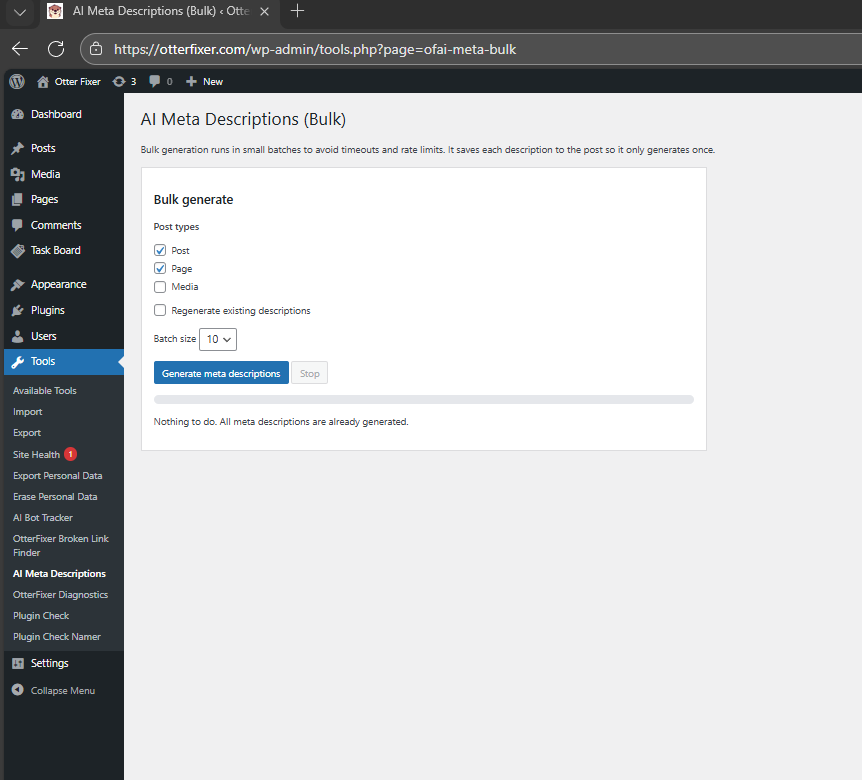
The bulk tool allows you to generate meta descriptions across your site safely.
- Runs in small batches to avoid timeouts
- Only generates descriptions that are missing
- Optional regenerate mode if you want to overwrite
- Clear feedback when nothing needs generating
If everything is already done, the tool will tell you:
“Nothing to do. All meta descriptions are already generated.”
SEO preview
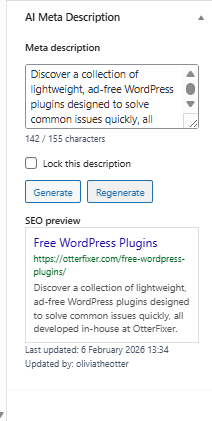
Each post and page includes a simple Google-style preview so you can see how your meta description will look in search results.
The preview updates:
- As you type
- After generating with AI
This makes it easy to sanity-check length and wording before saving.
Privacy and costs
- The plugin does not include any API access
- You must supply your own OpenAI API key
- You pay OpenAI directly for usage
- The plugin never sends user data, comments, or private fields
Only the post title and cleaned content are used to generate descriptions.
Setting up OpenAI (one-time setup)
Setting up OpenAI only takes a couple of minutes.
Step 1: Create an OpenAI account
Sign up or log in at:
https://platform.openai.com
Step 2: Create an API key
Go to:
https://platform.openai.com/api-keys
Click Create new secret key and copy the key somewhere safe.
You will not be able to view it again later.
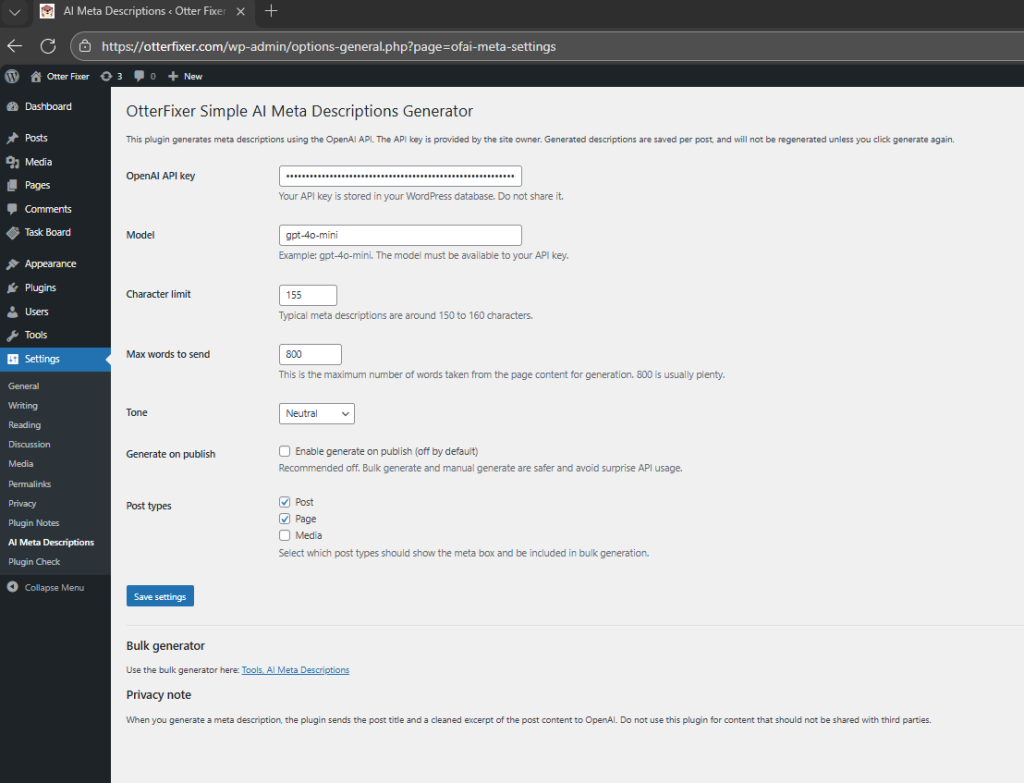
Step 3: Add the API key to WordPress
In your WordPress dashboard, go to:
Tools → AI Meta Descriptions → Settings
Paste your OpenAI API key and save.
Once saved, AI generation is instantly enabled across posts, pages, and bulk tools.
This plugin uses OpenAI to generate human-sounding meta descriptions based on your page content.
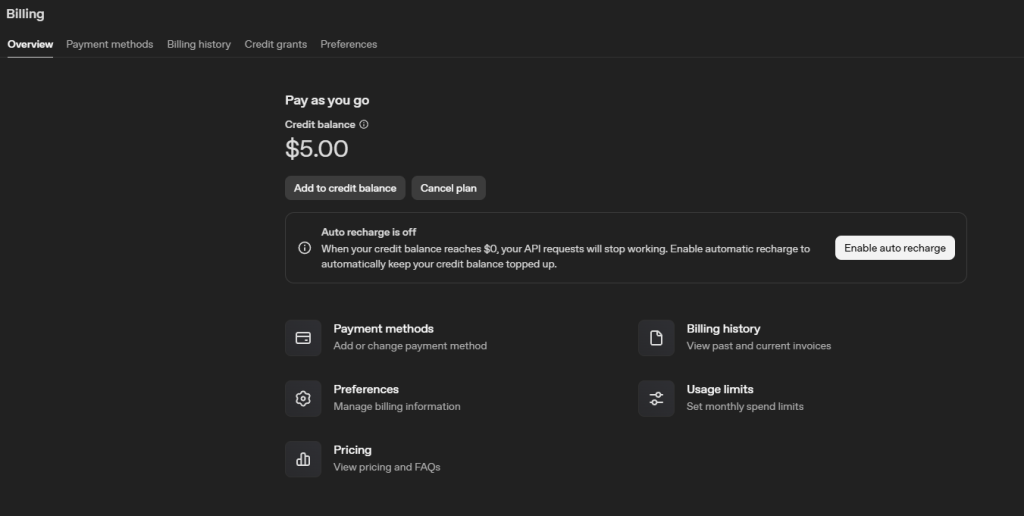
To use it, you’ll need your own OpenAI API key. This keeps the plugin free while giving you full control over usage and costs.
What about cost?
OpenAI charges per usage, but generating meta descriptions uses a very small number of tokens.
For most websites:
- Costs are usually just a few pence
- Meta descriptions are only generated once
- No background or recurring API usage
You are always in control of when generation happens.
Who this plugin is for
- Site owners who want simple SEO without heavy plugins
- Developers who want control and transparency
- Agencies managing multiple sites
- Anyone who just wants meta descriptions done properly
Frequently Asked Questions
Do I need an OpenAI account to use this plugin?
Yes. To generate AI meta descriptions, you need to create a free OpenAI account and add your own API key in the plugin settings. This keeps the plugin free and gives you full control over usage.
Do I need ChatGPT Plus?
No. ChatGPT Plus is not required. You only need an OpenAI API key, which is separate from any ChatGPT subscription.
Does the plugin regenerate meta descriptions automatically?
No. Meta descriptions are generated once and saved to the post. They will only change if you manually regenerate them or use the bulk regenerate option.
Is bulk generation safe to use?
Yes. Bulk generation runs in small batches to avoid timeouts and rate limits. The plugin will also tell you if there is nothing to generate.
What happens if all my meta descriptions already exist?
The plugin will not regenerate anything and will display a clear message: “Nothing to do. All meta descriptions are already generated.”
Is my content stored or tracked?
No. Content is only sent to OpenAI for text generation when you click Generate. OtterFixer does not store, log, or reuse your content.
Built in-house at OtterFixer by Olivia 🦦
Lightweight tools I use when fixing sites.